Home Screen Countdown Widget for iPhone
Beautiful countdown widgets with your own photos, multiple sizes, and fully customizable styling. Turn your home screen into a daily reminder of what you are looking forward to.

Make room for the people you look forward to
Trips with friends, a reunion with your partner, or a birthday with family. Start with a date that means something to you.

Our weekend away
24days
Friends
One date for the whole group to look forward to.
Plan a trip countdown
Concert night
12days
Friends
Keep the next night out in sight between plans.
Plan a concert countdown
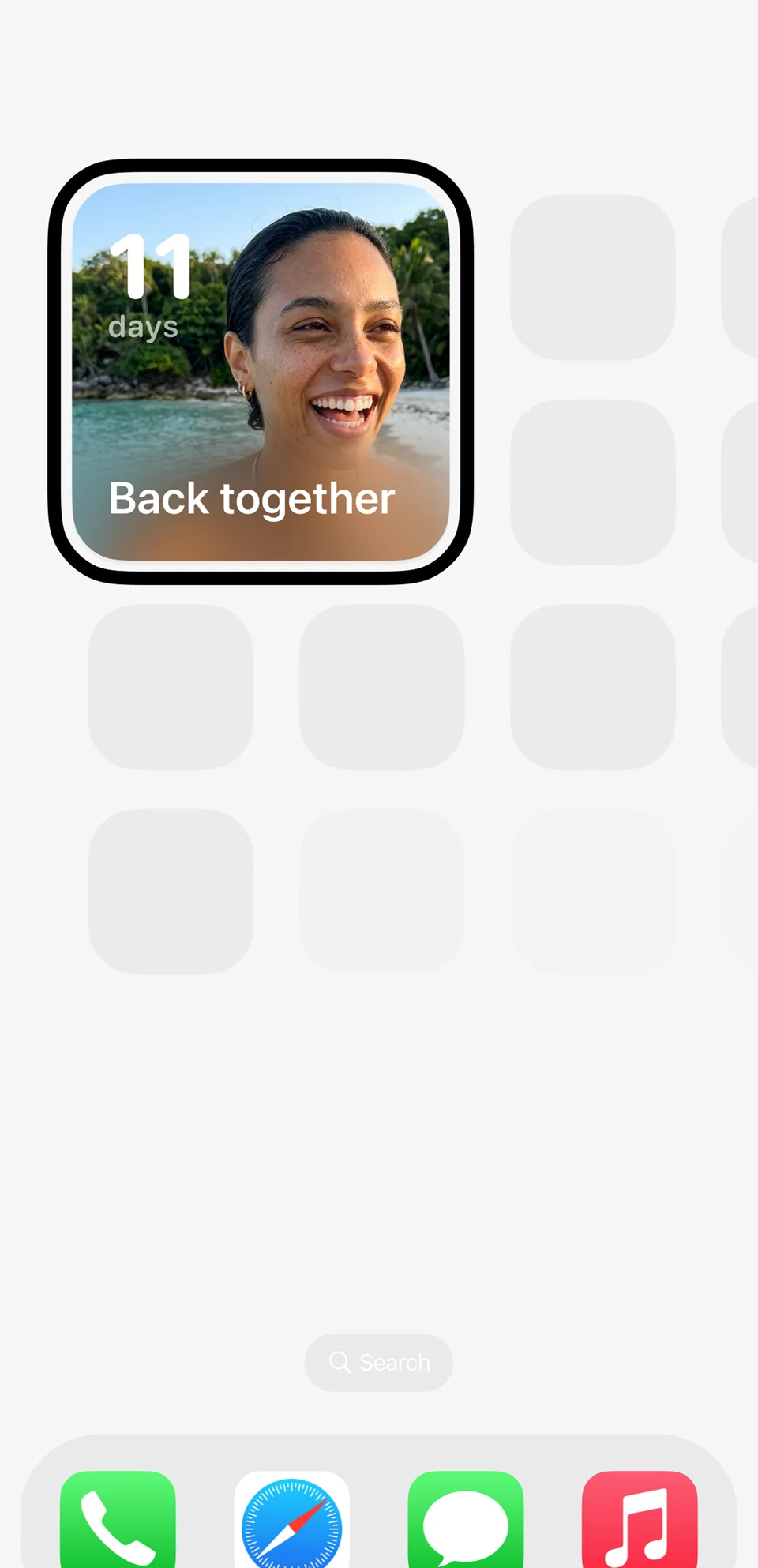
Back together
11days
Couples
Count down to the next visit, wherever you are.
Count down to a reunion
Our anniversary
38days
Partners
Give your next milestone a place on your phone.
Plan an anniversary countdown
Christmas together
46days
Family
Let everyone count down to time together.
Find your next holiday
Birthday weekend
7days
Family
A little daily reminder of the celebration ahead.
Plan a birthday countdownIllustrative countdowns and layouts; these are not app screenshots.
Create, share and join countdowns for free. Each person can add a Home Screen, Lock Screen or StandBy widget. Sharing needs a free account. Personal camera-roll photos, custom reminders, calendar sync and premium styles are optional Outside Pro extras.
Make your home screen personal
Your home screen is where you spend most of your time. Outside gives you the tools to make every countdown feel special.
Multiple Widget Sizes
Choose from small, medium, and large widgets. Fit your countdown anywhere on your home screen.
Custom Photos
Choose a countdown background, or use your camera-roll photos with Outside Pro.
Personalized Styling
Choose your widget layout. Premium styles and camera-roll wallpapers are included with Outside Pro.
Large Widget View
The large widget shows your countdown with a beautiful full photo and detailed date information.
Photo Calendar
Add photos to your shared countdown with Outside Pro and remember the days leading up to it.
StandBy Support
Your countdown looks great in StandBy mode when you charge your iPhone sideways.
Choose your widget size
Small
A compact widget that shows the event name and days remaining. Fits in a 2x2 grid space.
Best for: Quick glance at a single countdown.
Medium
A wider widget with room for your photo, event name, and a clear countdown display.
Best for: A balanced view with photo and countdown details.
Large
The full-size widget with a stunning photo background, event details, and countdown timer.
Best for: Making your countdown the centerpiece of your home screen.
How to add a Home Screen countdown widget
A 28-second illustrated guide using existing app imagery. Silent, with the steps written below.
- Create a countdown in Outside for your trip, birthday or next time together.
- Touch and hold an empty area of the Home Screen. Tap Edit, then Add Widget.
- Find Outside, choose a widget size, tap Add Widget, then Done.
- Touch and hold the widget and select Edit Widget to choose your countdown.
Countdowns, sharing and widgets are free. Sharing needs a free account. Camera-roll photos and custom reminders require Outside Pro.
Add a countdown widget to your home screen
Download Outside
Get the free app from the App Store.
Create a countdown
Pick your event and set the date. Camera-roll photos are optional with Outside Pro.
Long-press home screen
Tap the + button in the top corner to add a widget.
Choose your size
Search for Outside, pick small, medium, or large, and tap Add Widget.
Explore more widget options
Frequently Asked Questions
What sizes are available for home screen countdown widgets?
Outside offers small (2x2), medium (4x2), and large (4x4) countdown widgets for your iPhone home screen. Each size displays your countdown with a different level of detail.
Can I add a custom photo to my countdown widget?
Yes. With Outside Pro, you can use a photo from your camera roll as the widget background. You can start with the free countdown and widget options without subscribing.
How many countdown widgets can I add to my home screen?
There is no limit. You can add as many Outside countdown widgets as you like, in any combination of sizes. Each widget can show a different countdown.
Can I customize the look of my countdown widget?
Yes. Choose a widget layout for your countdown. Camera-roll wallpapers and premium styles require Outside Pro.
Is the home screen countdown widget free?
Yes. Home screen countdown widgets are free to use. Download Outside, create a countdown, and add widgets to your home screen at no cost. Camera-roll wallpapers and premium styles require Outside Pro.
Does the widget work with StandBy mode?
Yes. When you place your iPhone on its side while charging, your countdown widget appears in StandBy mode. It looks great as a desk or nightstand countdown display.
Make your home screen count
Turn your iPhone home screen into a daily reminder of what you are looking forward to. Free to download, beautiful to customize.
Download Outside Free