Shared countdowns for your next big day
Keep a concert with friends, a reunion with your partner or a family birthday in sight. Invite your people, then each add a widget to keep the date in sight.
Get Outside for iPhone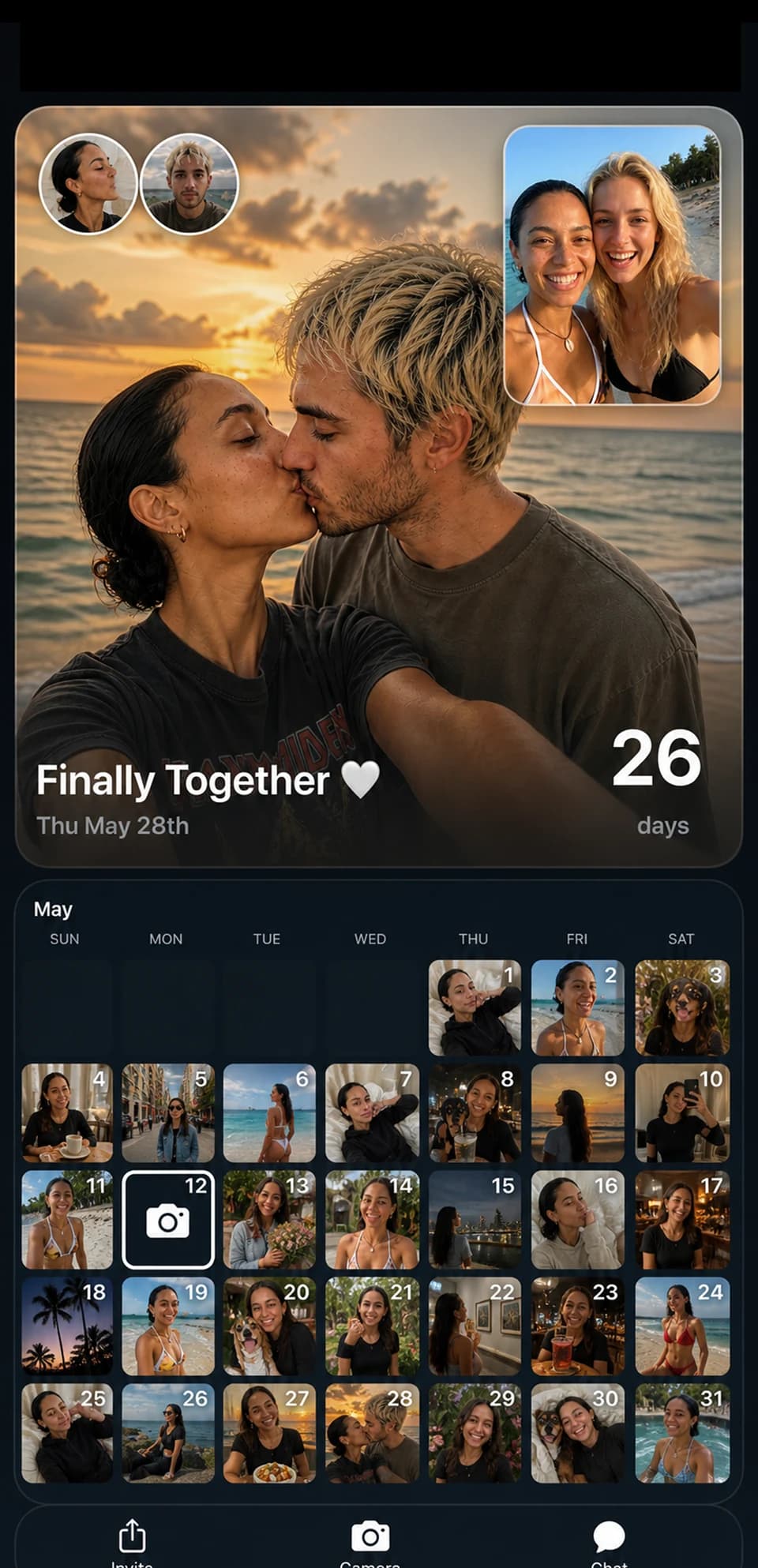
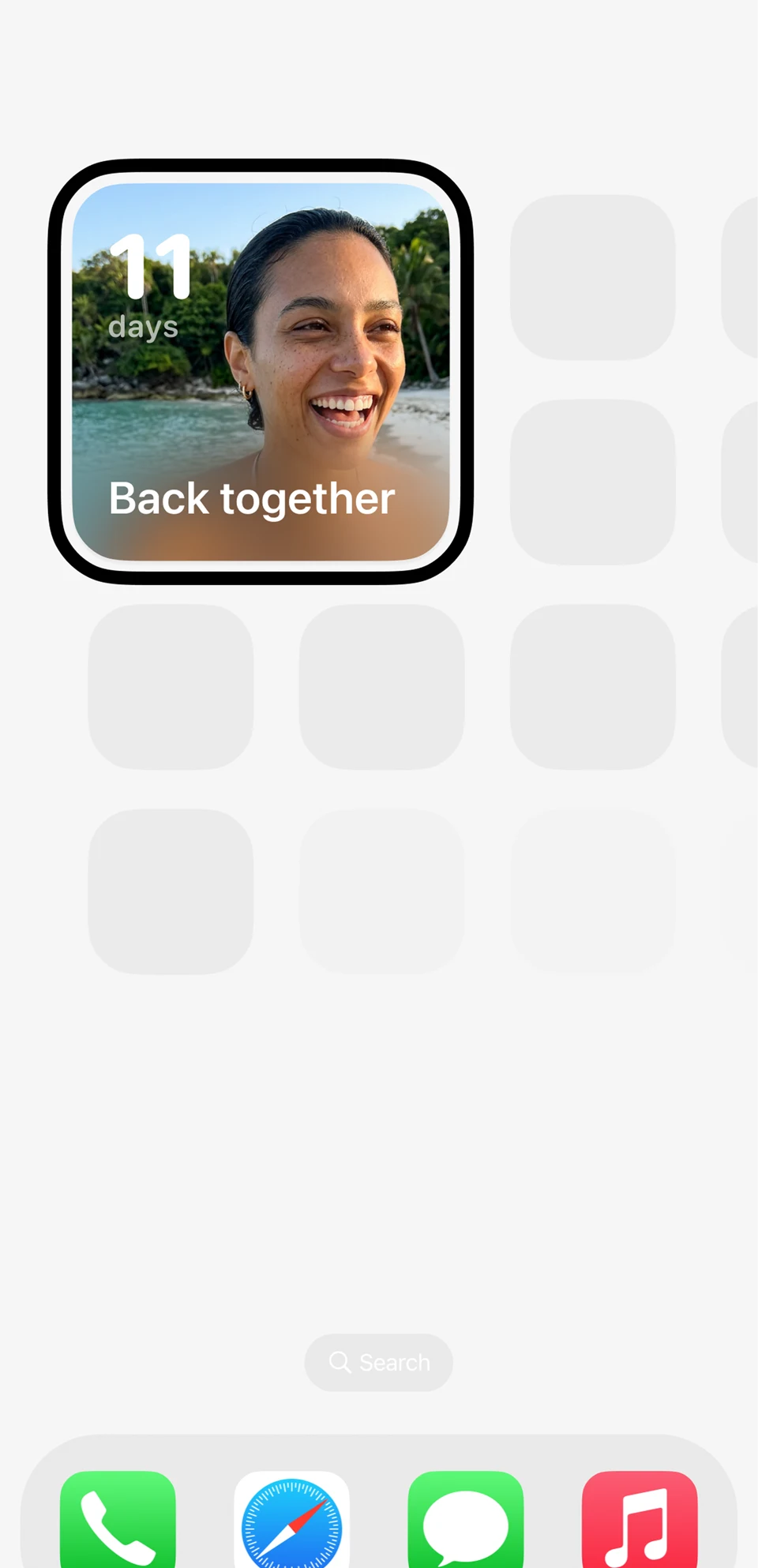
Shared widgets on every home screen
Join the same countdown, then each add an Outside widget on your iPhone. Keep the date in sight wherever you are. Home Screen, Lock Screen and StandBy widgets are included in the free plan.
Photo calendar for the group
Add photos to the shared countdown with Outside Pro. Build a photo diary as you count down to the big day.
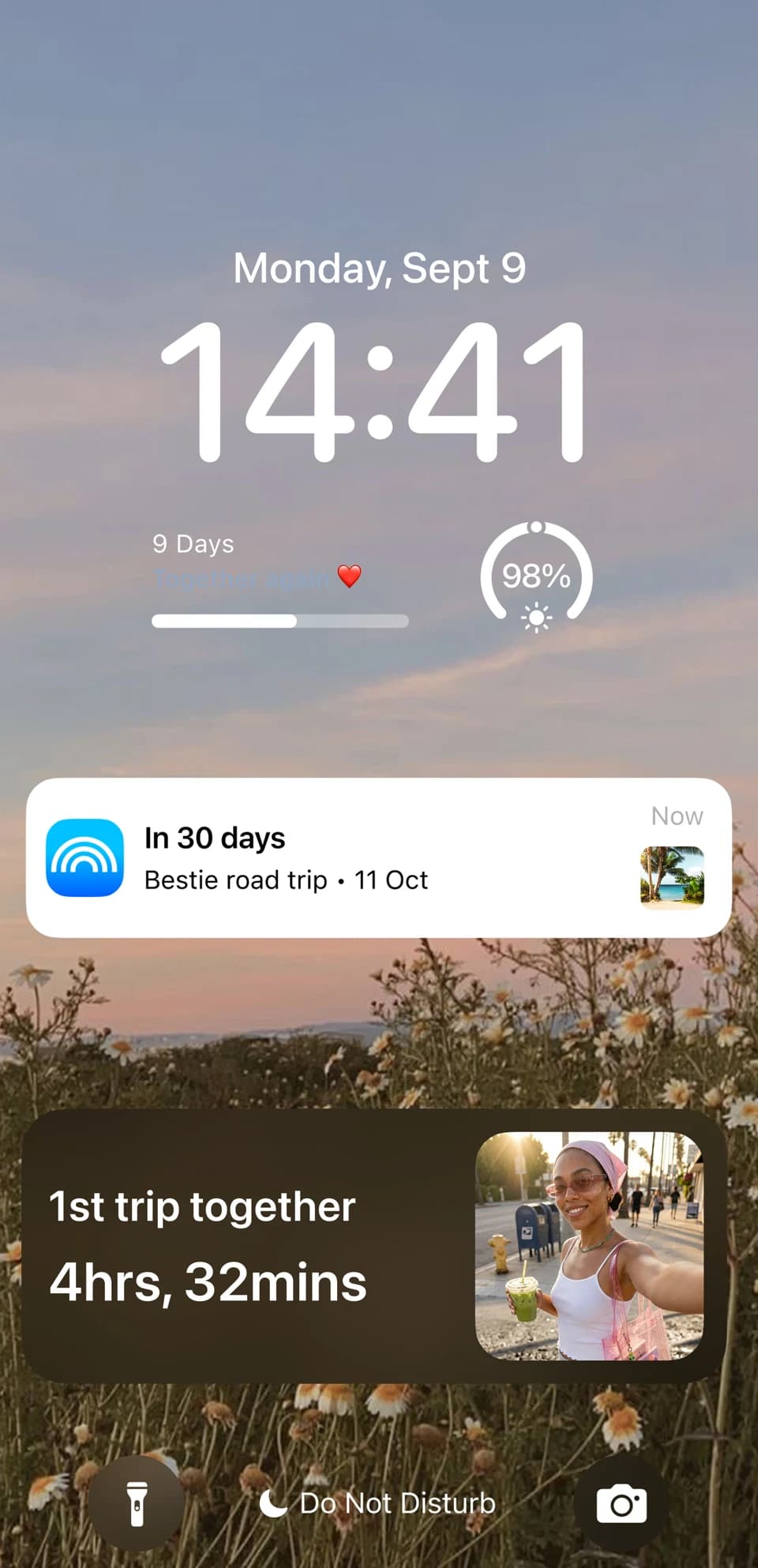
Reminders so nobody misses it
Add custom reminders with Outside Pro when you want an extra nudge. The shared countdown and widgets are free to use; each person chooses their own notification settings.
How to share a countdown with your people
A 28-second illustrated guide using existing app imagery. Silent, with the steps written below.
- Name your countdown, set the date and sign in to a free Outside account.
- Use the event sharing option and send the invite link through Messages or WhatsApp.
- Your friend, partner or family member opens the link and joins in Outside on their iPhone with their own free account.
- Each person adds a widget and selects the shared countdown. Joining does not add a widget automatically.
Countdowns, sharing and widgets are free. Sharing needs a free account. Camera-roll photos and custom reminders require Outside Pro.
One date for friends, couples and family
Choose the day you will see each other, celebrate or head away together. Share the invite once; each person joins and adds their own widget.

Our weekend away
24days
Friends
One date for the whole group to look forward to.
Plan a trip countdown
Concert night
12days
Friends
Keep the next night out in sight between plans.
Plan a concert countdown
Back together
11days
Couples
Count down to the next visit, wherever you are.
Count down to a reunion
Our anniversary
38days
Partners
Give your next milestone a place on your phone.
Plan an anniversary countdown
Christmas together
46days
Family
Let everyone count down to time together.
Find your next holiday
Birthday weekend
7days
Family
A little daily reminder of the celebration ahead.
Plan a birthday countdownIllustrative countdowns and layouts; these are not app screenshots.
Create, share and join countdowns for free. Each person can add a Home Screen, Lock Screen or StandBy widget. Sharing needs a free account. Personal camera-roll photos, custom reminders, calendar sync and premium styles are optional Outside Pro extras.
Pick a date that matters to your people
Friends: share the concert date or the day your group trip starts. Try the trip countdown for your next getaway.
Couples and partners: count down to seeing each other again, your wedding or your next anniversary. Explore a reunion countdown, wedding or anniversary.
Family: keep a birthday, holiday visit or reunion on everyone’s phone. Agree the date before creating the shared countdown.
Need help adding it? Follow the sharing walkthrough and iPhone widget setup guide.
Frequently Asked Questions
How do I share a countdown?
Create a countdown in Outside, sign in to a free account and send an invite link through your messaging app. Your friend opens the invite and joins in Outside. Each person then adds their own widget if they want it on their Home or Lock Screen.
Do my friends need the app?
Your friends can view a shared countdown link in their browser. To join the countdown and add a widget, they need Outside on an iPhone and a free account. Custom reminders are an optional Outside Pro feature.
Can I share with multiple people?
Yes. Send the invite to your partner, friends or family. Each person joins the countdown in Outside and can add it to their own Home Screen or Lock Screen.
Is the shared countdown free?
Creating, sharing and joining countdowns are included in the free plan, along with Home Screen, Lock Screen and StandBy widgets. Optional Outside Pro features include custom reminders, camera-roll photo uploads, calendar sync and premium styles.